How to Build a Design System With Claude Code
Your WordPress theme was enforcing design consistency invisibly. When you migrate to a custom Claude Code build, that disappears. Here is how to replace it with four files.
Read articleWebsites, internal tools, automation scripts, and simple web apps - all built by non-engineers. Here is what you can realistically build with Claude Code from day one.

What most people think they can build with Claude Code is smaller than what they actually can.
You picture something basic. A simple webpage. A small script. Something that will not embarrass you if a developer sees it. You limit yourself before you even start.
The reality is different. Founders, marketers, and operators are building tools that run in production - automations, internal dashboards, data pipelines, customer-facing forms - without writing a single line of code themselves. This post shows what those projects actually look like.
Not every project is the right fit for a first-time builder. The best projects share three traits.
One goal. Not a platform - a tool that does one thing. “A script that exports leads to a CSV” is a good project. “A CRM” is not.
Clear output. You can describe exactly what the finished result looks like. “A single HTML page, dark background, contact form at the bottom” is clear. “A professional website” is not.
No user accounts. Projects that require logins, stored passwords, or payment processing add complexity fast. Start without them.
When your project fits those three criteria, Claude Code can get you to a working first version in one session.
This is where most non-engineers start - and it works well.
Claude Code builds a complete HTML page from a description. Dark background, headline, product description, contact form, and a button. You describe what you want. It writes the file. You open it in a browser and tell it what to change.
More advanced: multi-page sites with navigation, consistent styling, and a contact form that sends to email. These take more sessions but are well within reach.
What makes this work is the visual feedback. You see the output immediately. You know exactly what to change. The cycle is fast.
Internal tools are some of the most useful things non-engineers build with Claude Code.
A simple example: a spreadsheet parser. You have a CSV of leads. You want a script that reads the file, filters out duplicates, and saves a clean version. Claude Code writes the Python script. You run it. It works.
A more complex example: a dashboard that reads data from a file and displays it in a table with filters. One HTML file, no backend required, runs in any browser. Built in one to two sessions.
What makes internal tools different from websites is that they process real data. This means errors happen more often. You copy error messages back into Claude Code more frequently. That is normal. Each one gets resolved in one or two exchanges.
If you do repeated work on your computer, you can probably automate it.
Common examples:
These are clear, bounded, and testable. You run the script. You see whether it worked. You tell Claude Code what to fix.
The key is to describe the input and the expected output precisely. “Read all .jpg files in this folder and rename them date-originalname.jpg using the file creation date” is a brief Claude Code can hit.
This is where the ceiling starts to show - but it is higher than most people expect.
A simple web app means one file or a small set of files, no database, runs in a browser. A quiz with questions, a results page, and a score. A calculator with inputs and a calculated result. A form that collects data and sends it to an email address.
These are achievable in one to three sessions for a non-engineer. They require more feedback rounds than a static page, but the process is the same: describe, review, revise.
What does not work yet: anything that requires a database to store data long-term, user logins, or payment processing. These add complexity fast. They are not impossible - they just require more sessions, and the complexity compounds quickly without a developer foundation.
Every project that works follows the same pattern.
You describe what you want clearly. Claude Code builds a first version. You test it. You describe what needs to change. Claude Code updates it. You repeat three to five times.
The limit is not the tool. It is the clarity of your instructions.
Clear instructions name the input, the output, and the constraints. “Read this CSV, filter rows where the email domain matches any domain in this list, save the result as clean.csv” is a complete brief. “Clean up my leads file” is not.
One week free. If you want to try Claude Code before you commit, Anthropic offers a free week through referral. Start your free week here - no payment needed to begin.
This is part of the Build System - the layer that takes you from “I want to build something” to working output. The Starter Guide gives you the setup to make every session like this - including a CLAUDE.md template that keeps Claude on track from session one.
May you build Greatness! 🍀
Michael
Your WordPress theme was enforcing design consistency invisibly. When you migrate to a custom Claude Code build, that disappears. Here is how to replace it with four files.
Read article
Claude Code is not a developer tool. It is the tool that builds the marketing automations you keep describing in chat. No developer needed.
Read article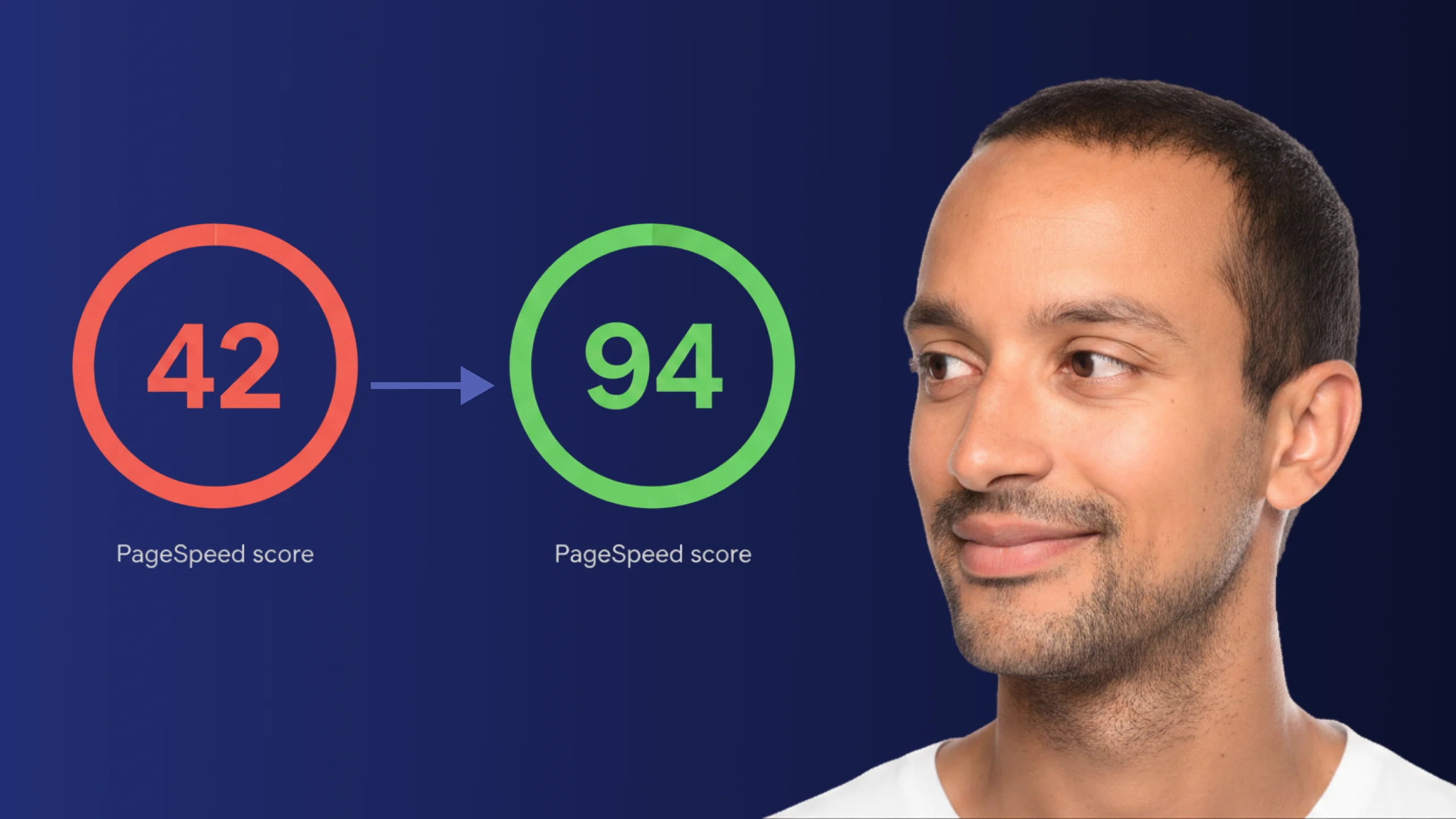
A PageSpeed score of 42 is not just slow - it is losing you real traffic on every visit. Here is exactly how Claude Code diagnosed and fixed the performance issues that moved this site from 42 to 94.
Read article