
How to Build a Design System With Claude Code
Your WordPress theme was enforcing design consistency invisibly. When you migrate to a custom Claude Code build, that disappears. Here is how to replace it with four files.
Read articleWriting separate content for each platform wastes what you already made. Claude Code transforms one source piece into every format you need and saves each as a file.

Good content takes hours to create.
You write the article, post it, share it once. Then you move on and start something new from scratch.
That is not a content strategy. That is a content treadmill.
The reason repurposing feels harder than creating is that most tools make you do it manually. You open the blog post. You rewrite it as a LinkedIn post. Then you rewrite it again as an email. Then again as a thread. You are doing the work four times instead of once.
Claude Code changes the ratio. You feed it one source piece. It produces every format you need and saves each as a file. You review, adjust, and publish.
The content does not change. The format does. Claude Code handles the transformation.Starting from a single source - a blog post, a podcast transcript, a long-form LinkedIn article, or a recorded session - Claude Code can produce:
If your source material is a video or audio recording, Descript* is the fastest way to get a clean, edited transcript you can feed straight into Claude Code. It transcribes, lets you edit by cutting words from the text, and exports a clean document in minutes.
FROM ONE SOURCE PIECE
Each format lands in a file in your project folder. You open the file, review it, adjust anything that needs adjusting, and take it to the platform.
The inconsistency problem in manual repurposing is voice. You write the LinkedIn post differently than you write the email, because you are writing each one from memory of the original. By the fourth format, you have drifted.
Claude Code works from the source file, not from memory. Every format comes from the same input. Your brand voice rules in CLAUDE.md apply to all of them. The formats differ. The voice does not.
You navigate to your content project folder in the terminal. You run claude. Then you tell it what to do:
I have a new blog post at /content/posts/june-post.md.
Repurpose it into the following formats and save each as a separate file in /distribution/june/:
- LinkedIn article (400 words, professional tone, one key insight per paragraph)
- Email newsletter (intro hook, 3 key points, CTA to the blog post)
- Twitter thread (15 posts, each under 280 characters, numbered 1/15 to 15/15)

Use the brand voice in CLAUDE.md throughout.
Claude Code reads the source file, applies your brand voice rules, and writes three files. Each lands in your distribution folder, named and ready.
The whole session takes 20 to 30 minutes for a full distribution set.
Once you have run this workflow two or three times, the instructions stop changing. The formats are the same every time. The voice rules are the same. The folder structure is the same.
At that point you can turn the instruction set into a skill - a saved command in your project. You name it /repurpose and it runs the full distribution cycle automatically every time you call it.
/repurpose june-post.mdClaude Code reads the skill, finds the source file, produces all the formats, saves them in the right folder. You review. You post.
This is not a complex setup. It takes about 15 minutes to write the skill file once. After that, distribution for every new piece takes a single command.
If you want to go one step further - automatically posting to platforms or scheduling distribution - n8n* is the workflow layer that picks up where Claude Code leaves off. A new file in your distribution folder triggers n8n, which can push the LinkedIn post to a scheduling queue, send the newsletter draft to your email platform, or notify your team in Slack. n8n is self-hosted and GDPR-compliant, which makes it the right choice for professional and agency use.
Claude Code does not post to your social platforms. It does not schedule content. It does not connect to your CMS or newsletter tool.
It writes and transforms content. You take the files and use them.
For most content marketers, the bottleneck is not the publishing. It is the writing and formatting. Claude Code removes that bottleneck. The publishing step stays manual - five minutes of copy-paste per platform.
After a few months of running every piece through this workflow, you have a content library. Every topic you have covered exists in every format. You can resurface old pieces without rewriting them. You can batch a month of distribution in a single afternoon.
Most marketers treat content as disposable. With a repurposing system, every piece you write compounds.The first session is slow because you are building the setup. The second is faster. By the fifth, you are running the entire distribution cycle in the time it used to take to write one LinkedIn post from scratch.
Partners and tools: Links marked * are affiliate partnerships - we earn a small commission if you sign up, at no extra cost to you. We only recommend tools we would use ourselves.
One week free. If you want to try Claude Code before you commit, Anthropic offers a free week through referral. Start your free week here - no payment needed to begin.
This is part of the Build System - the layer that takes Claude from setup to real marketing output.
Next in this series: Claude Code for Marketing Reports
May you build Greatness! 🍀
Michael
Your WordPress theme was enforcing design consistency invisibly. When you migrate to a custom Claude Code build, that disappears. Here is how to replace it with four files.
Read article
Claude Code is not a developer tool. It is the tool that builds the marketing automations you keep describing in chat. No developer needed.
Read article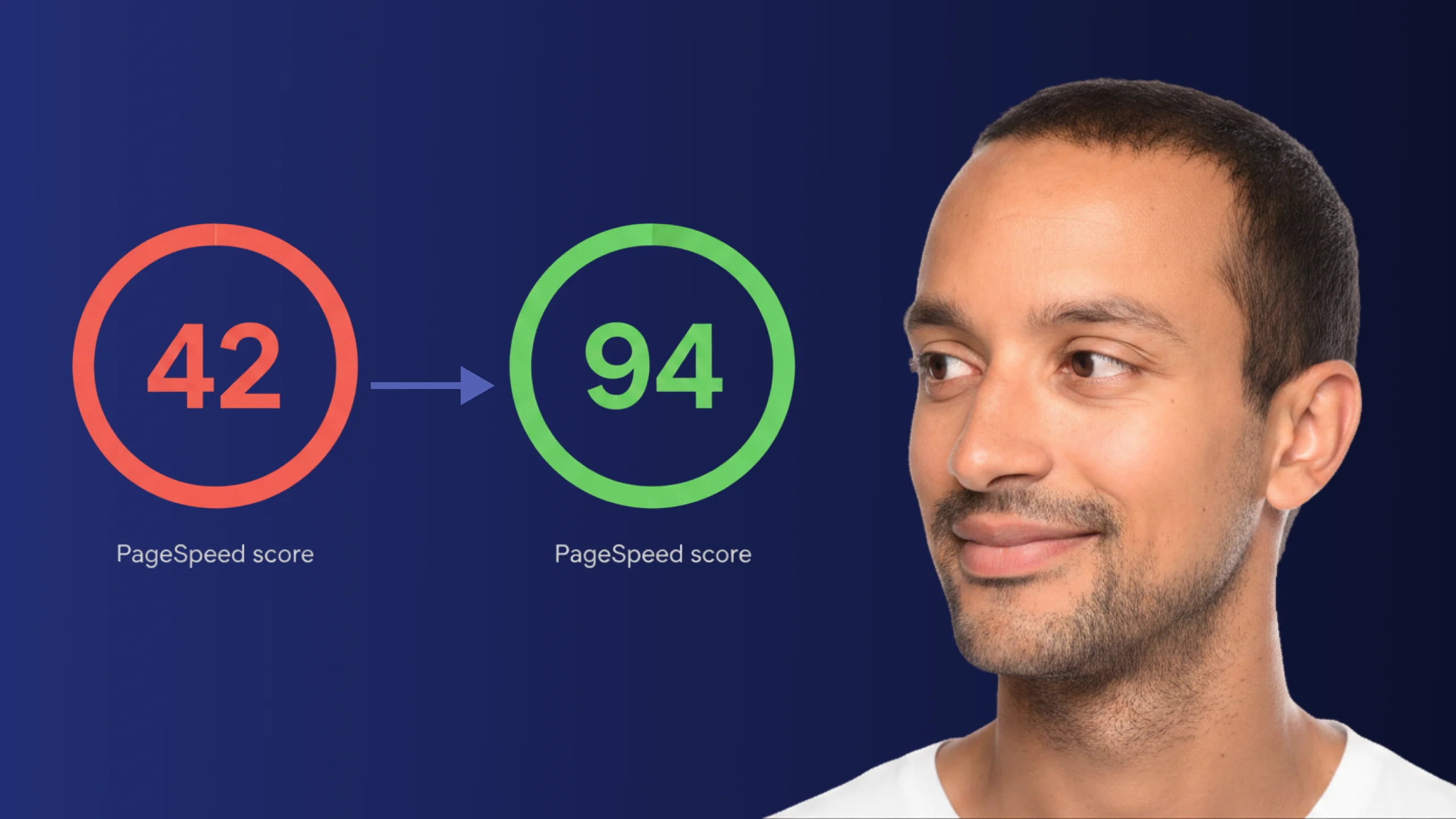
A PageSpeed score of 42 is not just slow - it is losing you real traffic on every visit. Here is exactly how Claude Code diagnosed and fixed the performance issues that moved this site from 42 to 94.
Read article