
How to Build a Design System With Claude Code
Your WordPress theme was enforcing design consistency invisibly. When you migrate to a custom Claude Code build, that disappears. Here is how to replace it with four files.
Read articleYour AI follows design rules for one component, then forgets them in the next. This is not a prompting problem - it is a systems problem with a straightforward fix.

After the third session where you fix the same button border, you start to realize the problem is not the AI.
The AI is not making random mistakes. It is making consistent ones - the same inconsistencies that appear every time you start a new session. The spacing changes slightly. The border width shifts. The font treatment drifts. Each component looks close enough in isolation, but side by side they do not match.
You described the rules clearly. You showed examples. It worked once. Then it did not.
AI tools do not carry memory between sessions. When you start a new conversation, the agent starts from zero. It has no record of the rules you established three sessions ago, the component patterns you agreed on, or the specific border treatment that makes your UI look right.
This is not a flaw in the tool. It is how language models work. Each session is independent. Each component is generated in isolation. Without a file to read your rules from, the agent improvises based on training data.
Session drift is not a behavior failure. It is a memory failure - and prompts do not fix memory problems.The instinct is to write a longer prompt. Include the full design system at the start of every session. Paste your token list before every request. This works once. It does not work across a project - because the rules live in your clipboard, not in your codebase.
When the AI generates without a reference file, it makes decisions from context. One session it chooses a 2px border. The next session it chooses 1px. Neither is wrong in isolation. Together they are inconsistent.
This compounds fast. Three sessions in, you have three slightly different border treatments across your components. Five sessions in, the spacing is drifting. Ten sessions in, you are spending more time correcting than building.
The operators who notice this first are the ones building fast - multiple components per session, multiple sessions per week. They see the drift early because they generate a lot of output.
What solves this is not a longer prompt. It is a file structure that the AI reads automatically - before any prompt, before any request.
When your design rules live in a DESIGN.md file in your project root, the agent has a source of truth to reference every session. You do not paste rules into the chat. You run one command at the start of a session, and from that point the agent has your full system in context.
The second piece is enforcement. A hook that fires automatically after every component file save checks the edit against your rules. Wrong borders, incorrect fonts, missing patterns - caught before they compound into habits.
When the rules are in a file your agent reads every session, you stop being the enforcer. The system is.Three parts make this work together.
A design rules file. DESIGN.md in your project root defines your tokens, component patterns, spacing, fonts, and border rules in plain language. Not a document for humans to read once - a file your agent reads and applies every session.
A pre-session skill. /design-context loads your rules before the first edit. One command at the start of a session. After that, the agent has your complete design system in context - not from your clipboard, from the file.
A post-edit hook. A hook fires automatically after every component file save. It checks the edit against your rules and surfaces violations before they become the new normal.
What runs automatically
/design-context - loads your rules before the first edit of every session/generate-component - scaffolds new components with your patterns pre-applied/check-design - validates every edit against your rules immediately after savePreToolUse hook - reminds the agent of your standards before touching any component filePostToolUse hook - catches violations right after each changeThe difference is not noticeable in the first session. A small project will not feel dramatically faster once this is running.
The difference is in compounding. A project with 50 components does not drift. A project with 200 components stays coherent. A project with multiple contributors - or multiple AI sessions from different people - stays consistent because the rules are in the repo, not in someone’s memory.
That is what consistent UI actually means: not that you check carefully enough, but that the system does not allow inconsistency to take hold.
Consistency is not maintained by effort. It is maintained by a system that enforces itself.One week free. If you want to try Claude Code before you commit, Anthropic offers a free week through referral. Start your free week here - no payment needed to begin.
We built this as a free blueprint. The repo includes the DESIGN.md template, three documentation templates, three Claude Code skills, and two hooks. Everything is pre-wired. Setup takes 15 minutes from clone to running.
May you build Greatness! 🍀
Michael

Design rules that load before every AI session, components that follow your patterns automatically, violations caught after every save.
Your WordPress theme was enforcing design consistency invisibly. When you migrate to a custom Claude Code build, that disappears. Here is how to replace it with four files.
Read article
Claude Code is not a developer tool. It is the tool that builds the marketing automations you keep describing in chat. No developer needed.
Read article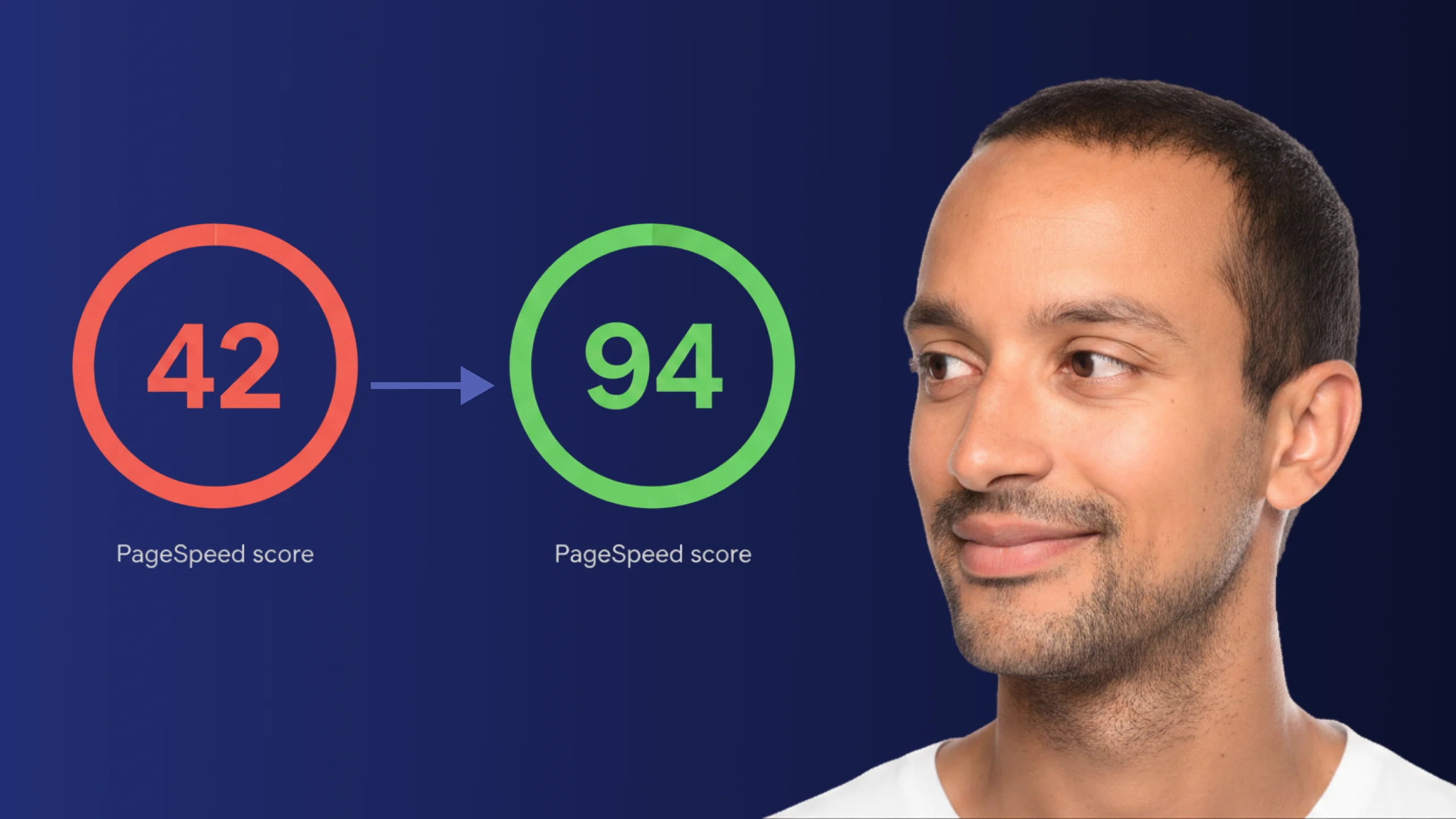
A PageSpeed score of 42 is not just slow - it is losing you real traffic on every visit. Here is exactly how Claude Code diagnosed and fixed the performance issues that moved this site from 42 to 94.
Read article