How to Build a Design System With Claude Code
Your WordPress theme was enforcing design consistency invisibly. When you migrate to a custom Claude Code build, that disappears. Here is how to replace it with four files.
Read articleYou do not need engineering experience to build with Claude Code. Here is what directing an agent looks like in practice - and what actually matters.

Building real software used to require one thing above everything else: someone who could write code. That was the gate. If you could not write code - or afford to hire someone who could - certain things simply were not possible for you.
Claude Code changes that. Not by teaching you to code. By removing the requirement.
This is not a metaphor. Founders, marketers, and operators are building real tools with Claude Code right now - dashboards, automation scripts, internal tools, websites - without writing a single line of code themselves. This post explains how that works and what it actually takes.
When you use Claude Code without engineering experience, you are not coding. You are directing.
You describe what you want. Claude Code writes the code, runs it, and checks that it works. You review the result. You say what needs to change. Claude Code makes the change. You repeat until it is right.
That process does not require you to understand the code. It requires you to understand what you want. Those are very different skills.
The Agent Power Level (APL) framework puts Claude Code at APL3 - the level where an agent operates directly inside your project. At this level, the agent does the technical work. Your job is to direct it clearly.
Engineering experience is not the requirement. Here is what is:
A clear project. Not “I want to build something with AI.” A specific thing - a tool that does one defined job. The clearer the target, the more useful the first session.
The ability to describe what you see. When Claude Code produces output, you need to tell it what is wrong. Not in code. In plain language. “The button is too large.” “The table is missing a column for the date.” “This only works for one item - it needs to loop through all of them.”
Patience with iteration. The first output is rarely the final one. Three to five rounds of feedback is normal. This is not a failure. It is the process.
Basic file navigation. You need to open a terminal, navigate to a folder, and run a command. That is the full technical requirement. If you have ever used a command line at all, you already have it.
Here is a real example of how a non-engineer uses Claude Code.
A marketer wants a tool that takes a CSV of leads, checks each one against a list of domains to exclude, and outputs a clean file ready to import. She has no engineering background. This is what she does.
She opens her terminal and navigates to a project folder. She runs claude. She types:
“Build me a Python script that reads a CSV called leads.csv, filters out any rows where the email domain matches a list I provide, and saves the result as clean-leads.csv. The domain list should be easy to edit at the top of the file.”
Claude Code writes the script. She runs it on a test file. It works but she wants one change - she wants it to also print how many leads were removed. She types that. Claude Code updates the script. She runs it again. Done.
She never read the code. She never needed to. She knew what she wanted and she described it clearly.
This is the honest part.
Engineering experience helps in three specific situations. Knowing them lets you plan around them.
When something breaks and you do not know why. Claude Code sometimes produces output that does not run. An engineer can read the error and know what it means. A non-engineer has to paste the error back into Claude Code and ask it to fix the problem. This adds a step. It works, but it takes longer.
When you are building something complex. A landing page is simple. A multi-step application with user authentication, a database, and several connected screens is not. Engineers can structure complex systems from the start. Non-engineers often end up with a mess of files that needs to be reorganized after a few sessions.
When you need to understand what was built. If you ever need to hand the project to another developer, or maintain it yourself long-term, not understanding the code becomes a real limitation. You can use Claude Code to explain what was built - but that adds friction.
None of these are reasons to stop. They are reasons to plan your projects accordingly and to keep your CLAUDE.md file updated so each session starts with clear context.
The biggest mistake is starting too big. A non-engineer picks up Claude Code and immediately tries to build a complete application. The first session produces something half-working. The second session tries to fix it and adds more. By the third session the project is a mess and feels unmanageable.
Start with one thing that does one job. Ship it. Learn what worked. Then build the next thing.
The second mistake is not describing the output format. Claude Code needs to know not just what to build but what the result should look like. “Build me a dashboard” leaves too much open. “Build me a single HTML file with a table showing name, email, and signup date - no external dependencies, dark background, white text” gives Claude Code a target it can hit.
The third mistake is skipping the CLAUDE.md file. Without it, every session starts from zero. Claude Code has no memory of your project, your preferences, or the decisions made in the last session. A CLAUDE.md file takes ten minutes to write and saves hours across every future session.
Do you need to understand code to use Claude Code?
No. You need to understand what you want to build. Claude Code handles the code. Your job is to give clear instructions and useful feedback on what it produces. Most of the learning curve is about getting better at describing what you want - not reading or writing code.
What kinds of projects work well for non-engineers?
Tools with a clear, single purpose work best. A script that processes a file. A webpage that displays information. A form that collects and stores data. A report that runs automatically. These are well-defined enough that Claude Code can hit the target without needing deep back-and-forth about architecture.
How do you handle errors when you do not understand the code?
Copy the error message and paste it back into Claude Code. Say “this error appeared when I ran the script - please fix it.” Claude Code reads the error, finds the cause, and updates the code. You do not need to understand the error to resolve it.
How long does it take to get useful output as a complete beginner?
Most people get useful output in their first session. The first session usually covers setup and one small project. By the second session, most beginners are moving faster because they have a better sense of how specific to be. The skill builds quickly.
What is the difference between using Claude.ai and Claude Code for building?
Claude.ai gives you text output in a chat window. Claude Code builds files on your computer. With Claude.ai you copy and paste the output yourself. With Claude Code the files are created, edited, and tested directly. For anything you want to actually run or deploy, Claude Code is the right tool.
One week free. If you want to try Claude Code before you commit, Anthropic offers a free week through referral. Start your free week here - no payment needed to begin.
This is part of the Build System - the layer that takes you from “I want to build something” to working output. The Starter Guide gives you the setup that makes every session faster, including a CLAUDE.md template you can fill in on day one.
Next in this series: Claude Code Tutorial for Non-Technical Builders
May you build Greatness! 🍀
Michael
Your WordPress theme was enforcing design consistency invisibly. When you migrate to a custom Claude Code build, that disappears. Here is how to replace it with four files.
Read article
Claude Code is not a developer tool. It is the tool that builds the marketing automations you keep describing in chat. No developer needed.
Read article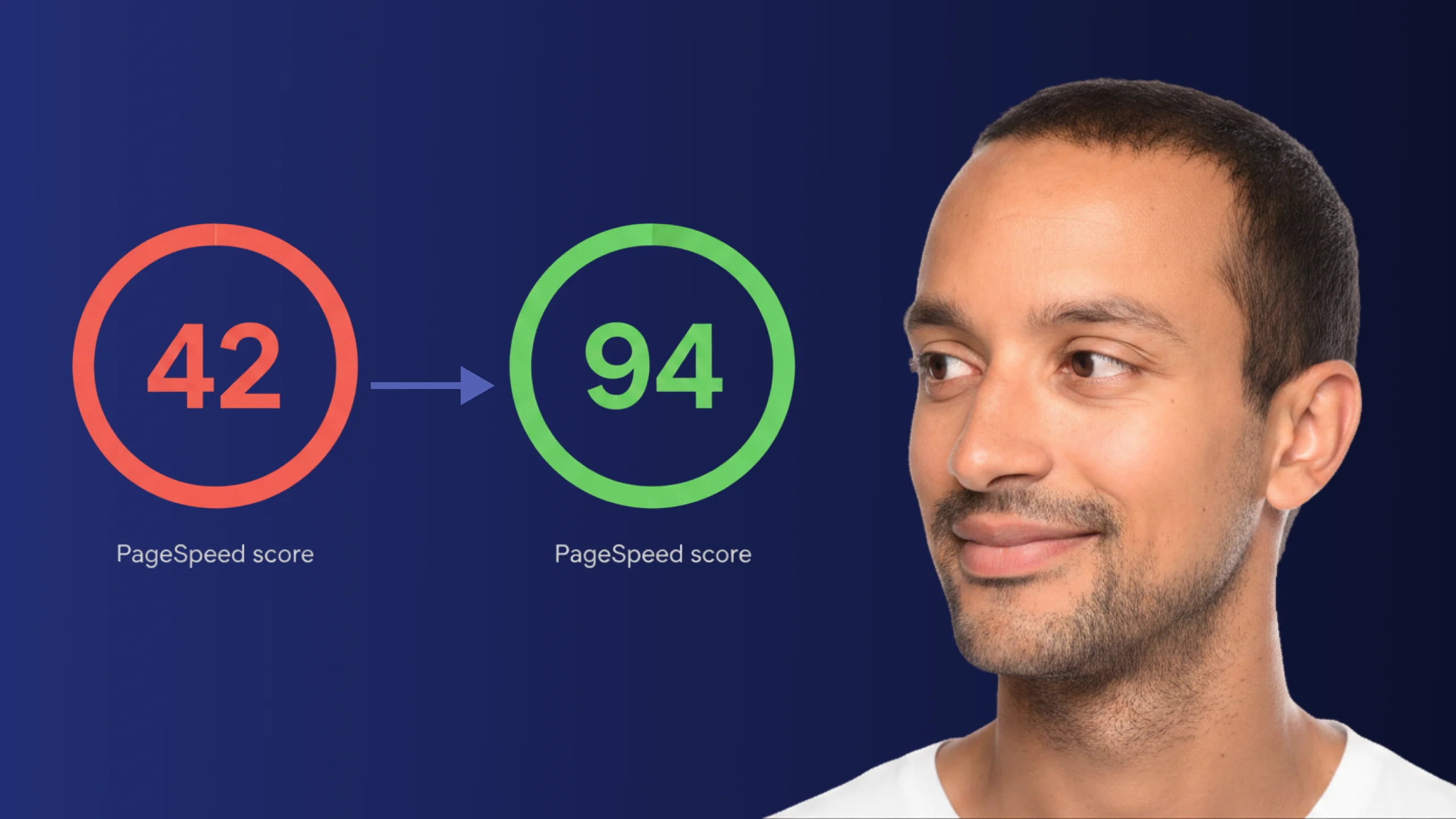
A PageSpeed score of 42 is not just slow - it is losing you real traffic on every visit. Here is exactly how Claude Code diagnosed and fixed the performance issues that moved this site from 42 to 94.
Read article